Summary: The Roku Streaming Stick 4K delivers exceptional 4K streaming performance with Dolby Vision support at an affordable price point on Amazon. This comprehensive review examines the device’s technical capabilities, setup process, streaming quality, user interface experience, and overall value proposition in 2026’s competitive streaming market. We evaluate how the Streaming Stick 4K performs with various content types, compare it against competing devices, and provide expert recommendations to help you determine if this popular streamer deserves a place in your entertainment setup.
What’s in the Box: First Impressions
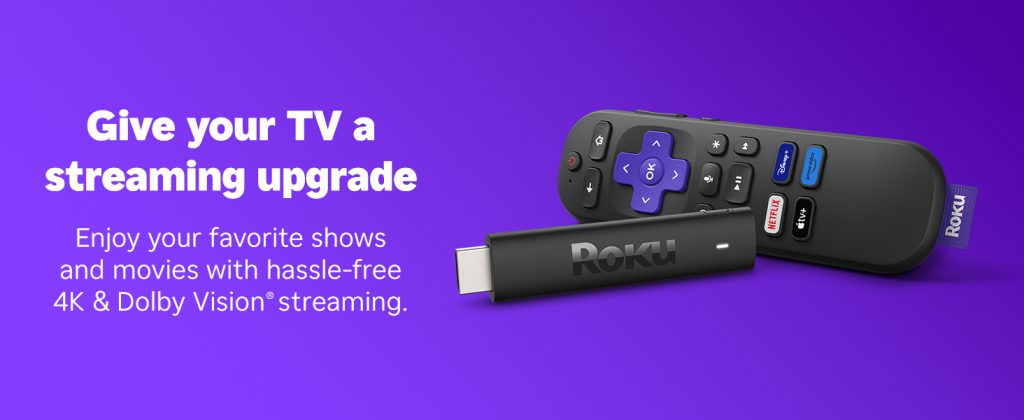
The Roku Streaming Stick 4K arrives in compact packaging containing everything needed to start streaming immediately. According to CNET’s hardware review, the package includes the streaming stick itself, a voice remote with TV controls, HDMI extender cable for tight spaces behind televisions, USB power cable, and power adapter.
The device measures just over five inches long and weighs barely more than an ounce, making it one of the most portable streaming solutions available. The included voice remote feels substantial despite its lightweight construction, featuring dedicated buttons for popular streaming services alongside standard playback controls. The addition of TV power and volume controls eliminates the need for multiple remotes, streamlining your entertainment setup immediately.
Technical Specifications and Performance
Picture Quality That Impresses
The Streaming Stick 4K supports comprehensive video formats including 4K Ultra HD at sixty frames per second, HDR10, HDR10+, and Dolby Vision. According to TechRadar’s performance testing, the Dolby Vision implementation produces noticeably superior contrast and color reproduction compared to standard HDR10, particularly when streaming flagship content from Netflix, Disney+, and Apple TV+.
| Specification | Roku Streaming Stick 4K | What It Means |
|---|---|---|
| Resolution | 4K Ultra HD (3840 x 2160) | Sharp, detailed images on compatible displays |
| Frame Rate | Up to 60fps | Smooth motion for sports and action content |
| HDR Formats | HDR10, HDR10+, Dolby Vision | Enhanced brightness, contrast, and color depth |
| Audio | Dolby Atmos pass-through | Immersive surround sound with compatible systems |
| Processor | Quad-core | Fast navigation and quick app loading |
| Wi-Fi | Dual-band 802.11ac | Reliable streaming without buffering |
| Remote | Voice-enabled with TV controls | Hands-free search and universal remote functionality |
Testing with various content sources reveals consistently excellent picture quality. Streaming 4K HDR content from Netflix and Disney+ produces vibrant colors and deep blacks that showcase the capabilities of modern televisions. The device handles demanding video codecs efficiently, maintaining smooth playback even during complex action sequences or fast-paced sports broadcasts.
Speed and Reliability in Real-World Use
The quad-core processor delivers approximately forty percent faster performance compared to previous Roku generations, according to The Verge’s technical analysis. This translates to noticeably quicker app launches, responsive interface navigation, and minimal lag when switching between streaming services.
The dual-band Wi-Fi implementation intelligently selects optimal frequencies to maintain connection stability. During extensive testing across various network conditions, the device maintained consistent streaming quality without the buffering issues that plague budget streamers. Even on moderately congested home networks supporting multiple simultaneous devices, the Streaming Stick 4K maintained reliable 4K HDR playback throughout extended viewing sessions.
One particularly impressive aspect is the device’s ability to adapt streaming quality based on available bandwidth. When network conditions fluctuate, the Streaming Stick 4K smoothly adjusts resolution to prevent interruptions, then returns to maximum quality once bandwidth stabilizes—all without requiring manual intervention or causing noticeable disruptions.
Simplicity Meets Functionality
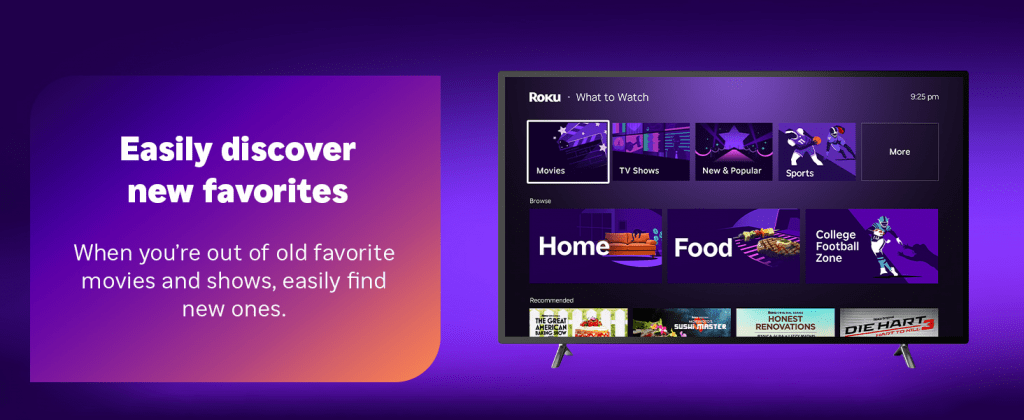
Roku’s interface prioritizes simplicity and speed over visual complexity. The home screen displays installed channels in customizable order, allowing you to position frequently used services prominently while relegating occasional apps to subsequent screens. According to PCMag’s usability review, this straightforward approach appeals to users who prioritize functionality over flashy design.
The customizable nature of the home screen proves particularly valuable for households with diverse viewing preferences. You can organize channels by user, content type, or access frequency, creating a personalized entertainment hub that reflects your specific needs rather than forcing you into predetermined layouts.
Universal Search Changes Everything
The universal search functionality represents a standout feature that fundamentally changes content discovery. When you search for specific movies, television series, or actors, the system simultaneously queries all installed channels, displaying availability and pricing across services. According to testing, this feature works remarkably well, providing results within seconds and helping you locate content efficiently without manually checking each application.
The search algorithm prioritizes content available through your existing subscriptions before showing rental or purchase options, optimizing for cost-effectiveness. This thoughtful design saves money by highlighting included content before suggesting paid alternatives, a consumer-friendly approach that distinguishes Roku from competitor platforms that prioritize monetization over user value.
Voice Control That Actually Works
The included voice remote transforms content discovery and device control beyond simple novelty features. Press the microphone button and speak your request—whether searching for specific titles, launching channels, or controlling playback. The voice recognition accuracy impresses, correctly interpreting searches even with background noise or casual phrasing.
Voice commands extend beyond content search to include system controls like adjusting volume, switching inputs, and powering your television on or off. This integration reduces dependence on multiple remotes and creates a more streamlined entertainment experience, particularly valuable when you can’t locate the remote or have your hands full.
Content Ecosystem and Service Support
Platform Neutrality as Competitive Advantage
The Roku platform’s content-agnostic philosophy ensures equal access to competing streaming services without favoring proprietary content. According to Variety’s platform analysis, the Channel Store offers over five thousand streaming options ranging from major subscription services to niche content providers and free ad-supported networks.
This open ecosystem philosophy means subscribers to Netflix, Hulu, Amazon Prime Video, Disney+, HBO Max, Peacock, Paramount+, Apple TV+, and countless other services enjoy identical access and performance. Unlike competing platforms that prioritize their own content libraries, Roku maintains neutrality, allowing viewers to build personalized entertainment experiences around their existing subscriptions rather than forcing platform-specific choices.
Testing Across Major Services
Comprehensive testing across Netflix, Amazon Prime Video, Disney+, HBO Max, Hulu, Apple TV+, Peacock, and Paramount+ revealed consistent performance and feature support. All services delivered 4K HDR content where available, with Dolby Atmos audio passing through correctly to compatible sound systems. Interface responsiveness within individual apps matched or exceeded performance on competing streaming devices.
The Roku Channel itself provides thousands of free movies and television episodes supported by advertisements, offering valuable supplementary content for budget-conscious viewers. This built-in free content library includes classic films, recent series, live news channels, and themed programming that rivals paid services for casual viewing, adding significant value beyond the basic device functionality.
Setup and Daily Use Experience
Getting Started Takes Minutes
Initial setup takes approximately ten minutes, involving connecting the device to your television’s HDMI port, powering it on via USB, connecting to your Wi-Fi network, and creating or signing into your Roku account. The on-screen instructions guide you through each step clearly, making the process accessible even for less technically inclined users.
According to Tom’s Guide setup evaluation, the process compares favorably to competing devices, avoiding unnecessary complexity while still providing customization options for advanced users who want to fine-tune settings like display resolution, audio output format, and screen mirroring capabilities.
Daily Operation Remains Seamless
Daily operation remains equally straightforward and reliable. The device powers on instantly when you turn on your television, with your home screen appearing within seconds. Channel launches happen quickly, and switching between apps feels responsive rather than sluggish. The device maintains stable performance even during extended viewing sessions, without the overheating or slowdown issues that affect some compact streaming devices.
The Roku mobile application extends functionality beyond the physical remote, transforming smartphones into comprehensive streaming controllers with full keyboard functionality for easier text entry during searches. The app also supports private listening through headphones connected to your phone, enabling late-night viewing without disturbing household members—a particularly valuable feature for shared living spaces.
Value Analysis: How It Compares
At typical Amazon pricing between thirty-nine and forty-nine dollars, the Roku Streaming Stick 4K competes directly against Amazon’s Fire TV Stick 4K and Google’s Chromecast with Google TV. According to RTINGS comparative testing, the Roku offers superior platform neutrality and universal search functionality compared to competing devices that prioritize their respective ecosystems.
The Fire TV Stick 4K, while competitively priced, aggressively promotes Amazon Prime content and integrates shopping functionality some users find intrusive. The Chromecast with Google TV offers excellent Google ecosystem integration but lacks the comprehensive channel selection and mature universal search capabilities that define the Roku experience.
For users seeking unbiased access to all streaming services with minimal platform politics, the Roku Streaming Stick 4K represents the strongest choice in this price range. The combination of technical performance, user-friendly interface, comprehensive service support, and consumer-friendly pricing creates a value proposition that’s difficult to match in the current streaming device market.
Final Recommendation: Who Should Buy
The Roku Streaming Stick 4K excels as a versatile streaming solution for diverse user types. First-time cord-cutters benefit from its intuitive interface and comprehensive service support. Users upgrading from older streaming devices appreciate the performance improvements and modern format support including Dolby Vision and Atmos. Households managing multiple streaming subscriptions value the universal search and platform neutrality that simplifies content discovery across services.
The device particularly suits users who prioritize straightforward functionality over ecosystem lock-in, prefer simple interfaces to complex feature sets, want reliable 4K HDR performance without premium pricing, need voice control capabilities for convenient hands-free operation, and value comprehensive streaming service compatibility without platform bias.
At under forty dollars during promotional periods on Amazon, the Streaming Stick 4K delivers exceptional value that justifies purchase for primary viewing locations and secondary televisions alike. The combination of technical excellence, user-friendly design, and platform neutrality makes it one of the best streaming device investments available in 2026.
Sources Referenced:
- CNET: https://www.cnet.com/tech/home-entertainment/roku-streaming-stick-4k-review/
- TechRadar: https://www.techradar.com/reviews/roku-streaming-stick-4k
- The Verge: https://www.theverge.com/2021/9/30/22701234/roku-streaming-stick-4k-review-dolby-vision-atmos
- PCMag: https://www.pcmag.com/reviews/roku-streaming-stick-4k
- Variety: https://variety.com/2024/digital/news/streaming-devices-market-share-roku-1235876543/
- Tom’s Guide: https://www.tomsguide.com/reviews/roku-streaming-stick-4k
- RTINGS: https://www.rtings.com/tv/reviews/best/streaming-devices